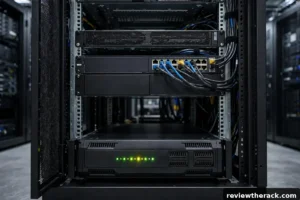
A typical full 42U server rack draws between 3 kW and 8 kW in a small business setup, and 10 to 20 kW or more in a dense enterprise deployment. A half-filled homelab rack with a few servers, a switch, and a NAS usually sits around 400 to 1,500 watts — roughly the same as a microwave running all day, every day. The honest answer is that it depends entirely on what is inside the rack, so this guide gives you the real numbers for each type of gear and a worked calculation you can copy for your own setup.
Key Takeaways
- A lightly loaded homelab rack uses 400–1,500 W; a busy small-business rack uses 3–8 kW; a dense enterprise rack uses 10–20 kW or more.
- Add up the wattage of every device, then add 20–30% headroom, and never load a circuit past 80% of its rated amps.
- Measure real draw with a metered PDU or a plug-in watt meter — nameplate ratings overstate real draw by 30–50%.
Typical Rack Power Draw at a Glance
Before doing any maths, it helps to know the ballpark for your kind of rack. These are average continuous draws, not peak nameplate figures:
| Rack type | Typical continuous draw | Example load |
|---|---|---|
| Homelab, 12U–24U, 2–4 servers | 400–1,500 W | 2 servers, NAS, switch, fan tray |
| Small business, 42U, half full | 3–8 kW | 8–12 servers, storage, network gear |
| Enterprise, 42U, densely packed | 10–20 kW | 20+ servers, blade chassis, storage arrays |
| AI / GPU rack, 42U | 20–40 kW+ | GPU servers drawing 700–1,000 W each |
If your rack falls between two rows, the worked example below will pin down your exact number. The biggest surprise for most people is how wide the range is: a rack is not a fixed appliance like a fridge. It is a container, and its appetite is set by what you put in it.
What Actually Draws Power Inside a Rack?
Servers dominate. Everything else — switches, storage, fans — is a rounding error by comparison, but it still adds up, and the UPS itself consumes power just by existing. Here are realistic figures measured from typical gear, not the maximum printed on the label:
| Device | Typical idle draw | Typical draw under load |
|---|---|---|
| 1U dual-CPU server | 80–150 W | 250–500 W |
| 2U storage server | 100–180 W | 300–600 W |
| Tower server | 60–120 W | 200–400 W |
| 24-port managed switch | 20–40 W | 40–80 W |
| 48-port PoE switch (with PoE devices) | 40–60 W | 150–400 W |
| 4-bay NAS | 25–40 W | 50–80 W |
| 8-bay NAS / JBOD | 40–70 W | 90–150 W |
| Fan tray (6 fans) | 30–60 W | 60–120 W |
| UPS (conversion losses only) | 5–10% of the load | 5–10% of the load |
Two things jump out of that table. First, hard drives are hungry: each spinning 3.5-inch drive adds roughly 6–10 W, so an 8-bay NAS full of spinning disks can draw as much as a small server. Second, Power over Ethernet is a hidden load — a 48-port switch powering cameras, access points, and phones can draw more than the server next to it. Count every PoE device when you add things up.
How to Calculate Your Rack’s Power Draw: A Worked Example
Here is a real homelab rack, calculated step by step. Copy this format and swap in your own gear:
- 2 × 1U servers running virtual machines: 300 W each under load = 600 W
- 1 × 8-bay NAS with spinning disks: 120 W
- 1 × 24-port PoE switch powering 4 cameras and 2 access points: 150 W
- 1 × 6-fan cooling tray: 60 W
- Subtotal: 930 W
- UPS conversion losses at 10%: +93 W
- Real continuous draw: about 1,023 W, call it 1 kW
Now add headroom. Equipment gets added, drives spin up, and servers spike under load, so add 25%: 1,023 × 1.25 = roughly 1,280 W. That is the number you plan your circuit and UPS around.
The monthly electricity cost follows directly. A 1,023 W rack running 24/7 uses 1.023 × 24 × 30 = 737 kWh per month. At $0.15 per kWh that is about $110 a month, or $1,327 a year. At $0.30 per kWh — common in parts of Europe — the same rack costs about $221 a month. That is why measuring matters: guessing wrong by 500 W is a $54-a-month mistake at US prices.
Watts, Amps, and Volts: The Only Formula You Need
Power (watts) = voltage (volts) × current (amps). That single formula decides whether your rack trips a breaker, because circuits are rated in amps, not watts.
On a standard North American 120 V, 20 A circuit, the maximum is 120 × 20 = 2,400 W. But you should only use 80% of that continuously (more on why below), so the usable figure is 1,920 W. Our worked-example rack at 1,280 W planned draw fits comfortably. On a 15 A circuit, usable power drops to 1,440 W — the same rack still fits, but only just, with almost no room to grow.
This is also why data centres run on 208 V or 230 V: the same 20 A delivers far more power at higher voltage.
| Circuit | Maximum watts | Usable at 80% |
|---|---|---|
| 120 V, 15 A | 1,800 W | 1,440 W |
| 120 V, 20 A | 2,400 W | 1,920 W |
| 208 V, 20 A | 4,160 W | 3,328 W |
| 208 V, 30 A | 6,240 W | 4,992 W |
| 230 V, 16 A | 3,680 W | 2,944 W |
| 230 V, 32 A | 7,360 W | 5,888 W |
If your rack’s planned draw is above the usable figure for your circuit, you need a bigger circuit, a second circuit, or fewer devices — there is no safe shortcut.
The 80% Rule: Why You Should Never Load a Circuit to 100%
Electrical codes in North America (NEC) treat any load running for three hours or more as a “continuous load” and require the circuit to be loaded to no more than 80% of its rating. A server rack runs 24/7, so it is the definition of a continuous load.
Running a breaker at 100% for months does not just risk nuisance trips. Breakers heat up, connections loosen, and the safety margin that protects your house or office disappears. A tripped breaker at 3 a.m. means every server in the rack goes down hard, which is how disks and databases get corrupted. Plan to 80%, and treat the remaining 20% as insurance, not wasted capacity.
Real-World Examples: Three Racks, Three Power Bills
The quiet homelab (12U): one server, a 4-bay NAS, a small switch, no fan tray. Average draw around 350 W. That is 252 kWh a month, about $38 at $0.15/kWh. Cheap enough to forget about.
The small-business rack (42U, half full): eight servers, a storage array, two switches, a UPS. Average draw around 4.5 kW. That is 3,240 kWh a month, about $486 at $0.15/kWh — and that is before cooling. Every watt of IT load becomes a watt of heat, so a small server room needs roughly 30–50% extra electricity for cooling on top.
The dense enterprise rack (42U, full): twenty servers and a blade chassis. Average draw around 12 kW. That is 8,640 kWh a month, about $1,296 at $0.15/kWh, with cooling potentially doubling the total electricity story. This is the point where power, not rack space, becomes the limiting factor — and why modern data centres measure capacity in kilowatts per rack rather than in rack units.
How to Measure Your Rack’s Actual Power Use
Calculations get you close, but measured numbers beat estimates every time. Four methods, in order of usefulness:
- A metered or switched PDU. This is the best option: it shows per-outlet or per-bank draw in real time, and a switched PDU lets you power-cycle a hung server remotely. Expect to pay $150–$400 for a good metered PDU.
- A plug-in watt meter. A Kill A Watt or similar meter ($25–$40) sits between the wall and a single device. Measure each device for 24 hours, add the averages, and you have a real number for your whole rack.
- Your UPS display or software. Most rack UPS units report load in watts and as a percentage of capacity. If yours reads 42% on a 2,200 VA / 1,980 W UPS, you are drawing about 830 W.
- Server management interfaces. iDRAC, iLO, and IPMI report actual power draw per server, often with history graphs. This is the most accurate per-server figure you will get without extra hardware.
One warning: if you add up nameplate ratings instead of measuring, you will oversize everything. Nameplates state the worst case — every drive spinning up at once, both CPUs at 100%, fans at full speed. Real-world draw is typically 50–70% of the nameplate sum, which is why a rack full of “500 W” servers often draws far less than the labels suggest.
How to Reduce Your Rack’s Power Consumption
If the number you calculated is higher than you would like, these are the fixes that actually move it:
- Right-size your power supplies. A PSU is most efficient at around 50% load. A massively oversized PSU running at 15% load wastes power, and an 80 Plus Titanium unit wastes less than a Bronze one at every load level.
- Consolidate and virtualize. Three old servers idling at 100 W each can usually become three virtual machines on one modern host drawing 250 W. This is the single biggest saving most homelabs can make.
- Spin down idle disks. A NAS full of spinning disks that are rarely accessed can save 40–60 W with spindown enabled — and run cooler and quieter as well.
- Schedule PoE. Cameras and access points that do not need to run overnight can be powered down on a schedule from a managed switch.
- Use blanking panels. They cost a few dollars each and stop hot air recirculating through empty rack spaces, which means the fans work less and the room cooling works less.
- Turn off what you do not use. Old test servers, a second switch “just in case”, a KVM monitor left on 24/7 — a quick audit usually finds 50–150 W of gear nobody would miss.
Realistic total savings for a typical homelab: 15–30%, which on a 1 kW rack is $16–$33 a month back in your pocket.
Frequently Asked Questions
How many watts does a 42U server rack use?
A half-full 42U rack in a small business typically draws 3–8 kW. A densely packed enterprise rack draws 10–20 kW, and an AI or GPU rack can exceed 40 kW. A 42U rack that is mostly empty can draw under 1 kW. The rack size tells you the maximum; the equipment inside tells you the real number.
Can I run a server rack on a normal wall outlet?
A small homelab rack, yes. A standard 15 A, 120 V outlet delivers 1,440 W of usable continuous power, which covers a rack drawing up to about 1 kW with headroom. Anything bigger needs a dedicated 20 A circuit, and a full rack needs 208 V or 230 V power. Never run a rack from a power strip daisy-chained to another power strip.
How much does it cost to run a server rack 24/7?
Multiply watts × 24 hours × 30 days, divide by 1,000 to get kWh, then multiply by your electricity price. A 1 kW rack uses about 720 kWh a month, which costs roughly $108 at $0.15/kWh. Double the watts, double the bill — and remember cooling adds roughly 30–50% on top in a small room.
Do I need a UPS for my rack, and does it add to the power draw?
Yes, you need one — it protects against outages and, just as importantly, against the brief brownouts that corrupt data. And yes, it adds draw: a UPS consumes roughly 5–10% of the load it protects in conversion losses, plus a small amount to keep its batteries charged. Size your UPS for your planned load plus headroom, not for your nameplate total.
Why is my rack’s power draw lower than the nameplate ratings?
Nameplate ratings are worst-case maximums: every drive spinning up simultaneously, both CPUs at 100%, fans at full speed. In normal use, servers idle much of the time, so real draw is usually 50–70% of the nameplate sum. This is normal and expected — measure with a metered PDU if you want the true figure.
Bottom Line
A server rack uses anywhere from a few hundred watts to tens of kilowatts, and the only number that matters is yours. Add up your devices using the table above, add 25% headroom, keep the total under 80% of your circuit’s rating, and then verify it with a metered PDU. Do that, and you will never trip a breaker at 3 a.m. — and you will know exactly what the rack costs you every month.