
Every server rack conversation starts with the same unit of measurement: the rack unit, written as U. One U equals 1.75 inches (44.45 mm) of vertical space inside a rack. A device described as 2U tall occupies 3.5 inches of rail height; a 42U cabinet offers 42 of those slices stacked from bottom to top. Once you internalize that single number, rack shopping, capacity planning, and even cooling layout all get dramatically simpler.
The U standard exists so gear from different makers fits the same rails. Width is standardized too — 19 inches between the mounting rails, a convention that goes back decades and is maintained in industry specifications such as EIA-310. Height, width, and hole spacing are the three dimensions that make the whole ecosystem interchangeable, and U is the one you will use every day.
The 1.75-inch standard
Why 1.75 inches? The measurement is a historical convention that stuck because everything — rails, cage nuts, shelves, blanking panels — is manufactured around it. Rack rails are punched with mounting holes on a repeating pattern: three holes per U, with the spacing between hole groups standardized so a 1U device always lines up with the same holes in any compliant rack. You do not need to memorize the hole pattern, but it helps to know it exists, because it is the reason you can bolt a 1U switch, a 2U server, and a 3U storage shelf into the same cabinet without adapters.
The 19-inch width deserves a mention here too. When a rack is described as a “19-inch rack,” that refers to the distance between the two front mounting rails — the width of the equipment that mounts between them. The cabinet itself is wider, usually around 24 inches (600 mm), to leave room for cable management on the sides and airflow around the gear. Depth, the third dimension, is not standardized the way height and width are, which is why depth causes more buying mistakes than U height ever does. Our guide to rack depth explained covers that trap in detail.
One more vocabulary note: people say “rack unit,” “RU,” and “U” interchangeably. A “12U rack” and a “12 RU rack” are the same thing. Wall-mount brackets, open frames, and full cabinets are all measured in U, so the unit follows you across every form factor you will encounter.
How to count rack units in your gear
Counting U is a physical exercise, not a guessing game. The reliable method is to read the manufacturer’s specification for each device — rack-mount gear almost always lists its height in U — and add the numbers up. A typical small stack might be a 1U router, a 1U switch, a 1U patch panel, and a 2U server: 5U total. Write the list down; you will use it again when you size power and cooling.
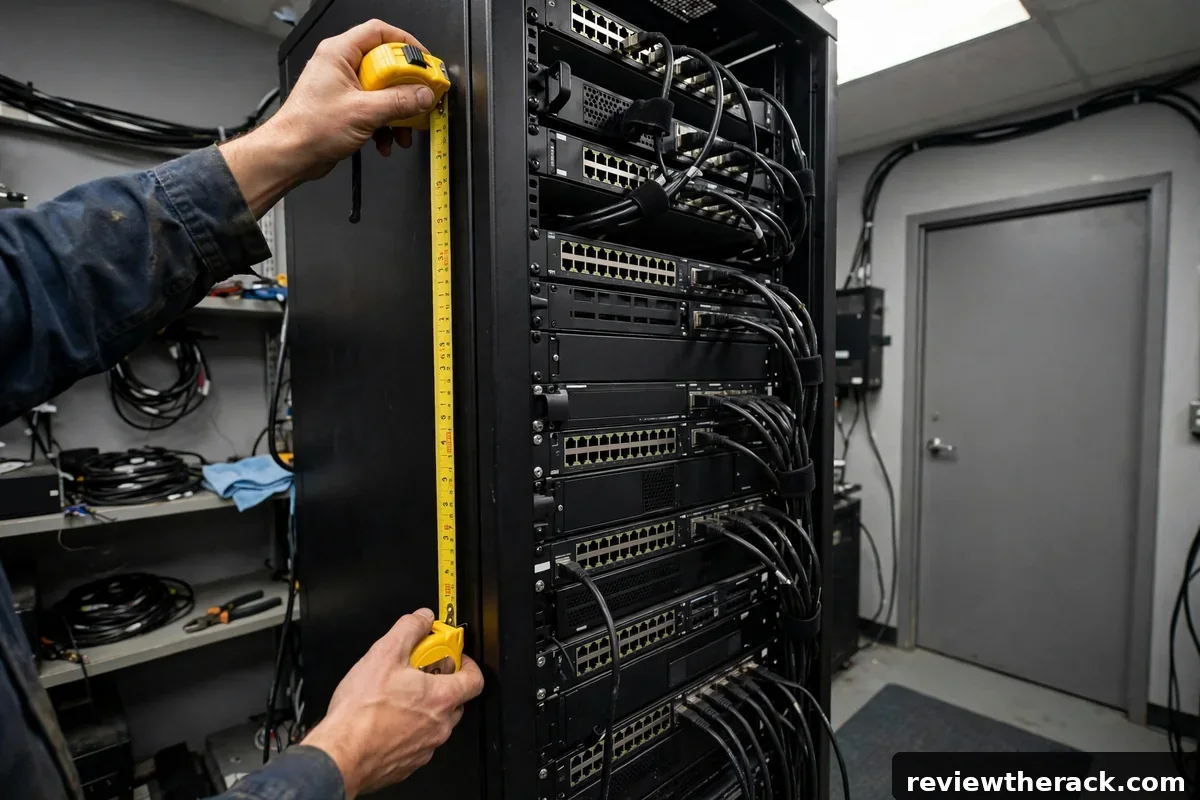
When specs are missing — common with used gear — measure the front panel height and divide by 1.75 inches. A faceplate measuring 3.5 inches is 2U; 5.25 inches is 3U. Measure twice, because a device that is “about 2U” but actually 2.2U tall will not fit in a 2U slot. Also note that some devices need extra clearance: a server with a top-mounted handle or a switch with upward-facing ports may need an empty U above it for cables, even though the chassis itself is 1U.
Do not forget the accessories. Cable managers, brush panels, power distribution units mounted horizontally, and rack-mount UPS units all consume U. A horizontal PDU is usually 1U or 2U; a rack UPS is commonly 2U. Beginners routinely count only the servers and then discover they are 3U short. Count everything that bolts to the rails, then add your growth headroom on top.
Common rack heights, from 6U to 48U
Racks come in a ladder of standard heights. At the small end, 6U and 9U wall-mount brackets hold a patch panel, a switch, and maybe a small firewall — the classic small-office or home network closet. 12U is the sweet spot for serious homelabs: enough for a patch panel, two switches, a couple of servers, and a UPS, in a cabinet that still fits under a desk or on a wall.
The middle of the ladder — 18U, 22U, and 24U — suits small businesses and ambitious homelabs. A 24U floor-standing cabinet can hold a full virtualization cluster, storage, networking, power distribution, and cable management with room to spare. At the top, 42U is the data-center standard full-height cabinet, with 45U and 48U variants appearing in facilities chasing density. For most readers of this site, the realistic choice is somewhere between 12U and 24U, and our framework for how to choose the right rack size walks through that decision step by step.
Height interacts with depth and weight. Taller cabinets are usually deeper and rated for heavier loads, but that is a correlation, not a rule — always check the depth and weight rating of the specific cabinet. A 24U cabinet that is only 600 mm deep will not fit the same servers as a 24U cabinet that is 1000 mm deep, even though both are “24U.”
U math in practice: a worked example
Let us run the numbers for a realistic homelab. Suppose your gear list is: a 1U patch panel, a 1U switch, a 1U firewall appliance, two 2U servers, a 2U UPS, and a 1U horizontal cable manager. That totals 1+1+1+4+2+1 = 10U of equipment. This is your current footprint — the number that must fit on day one.
Next, add growth headroom. A common rule of thumb is 30–50% extra, or simply “the next standard size up.” For 10U of gear, 30% headroom is 13U, which points you at a 15U–18U cabinet; rounding to standard sizes, an 18U cabinet is the comfortable pick. The headroom is not wasted space — it gives cables room to breathe, lets you add a server later without reorganizing the whole rack, and improves airflow between devices.
Finally, sanity-check power and cooling against the same list, because a rack that fits your gear on paper still needs to power and cool it. That is a separate exercise — power planning starts with sizing a PDU for your load — but doing it alongside the U math keeps the whole plan consistent.
Mistakes beginners make with U sizing
The most common mistake is buying exactly the U count you need today. Racks are furniture; you will own the cabinet far longer than any single server inside it. Buying a 12U cabinet for 12U of gear means the first upgrade forces a full migration. One size up is almost always the right call, and the price difference between adjacent sizes is usually modest.
The second mistake is forgetting cable and airflow clearance. Dense packing looks tidy in photos, but cables need bend radius and servers need intake clearance. Leaving 1U of empty space between heat-dense devices, filled with blanking panels, measurably improves temperatures in small racks. It feels like wasting space; it is actually buying reliability.
The third mistake is ignoring weight distribution. U tells you about vertical space, not load. Heavy UPS batteries belong at the bottom of the rack regardless of what the U math says is convenient. A top-heavy 24U cabinet is a tipping hazard, especially on casters. Plan the layout bottom-up: heaviest at the bottom, lightest at the top.
Half-depth, wall-mount, and other wrinkles
Not every device is full-depth. Network switches, patch panels, and small firewall appliances are often half-depth or less, which is why wall-mount and shallow cabinets exist. If your entire gear list is shallow, a 450–600 mm deep cabinet saves significant floor space. But be honest about the future: the day you add a full-depth server to a shallow cabinet, you are buying a second rack.
Wall-mount racks add a weight wrinkle. A 12U wall-mount bracket might be rated for 60–90 kg total, which is plenty for network gear but not for a rack full of servers. The U math does not change, but the weight budget does — check the rating, mount into studs or masonry, and keep heavy UPS units on the floor, not on the wall. Our wall-mount versus floor-standing comparison goes deeper on these trade-offs.
Finally, remember that the U standard describes the mounting interface, not the device’s total envelope. Handles, cable arms, and rear cable slack all extend beyond the nominal U footprint. When in doubt, add one U of clearance above any device with top-facing connectors or a pull-out service position.
Frequently asked questions
How many inches is 1U?
One rack unit (1U) is 1.75 inches, or 44.45 mm, of vertical rack space. A 2U device is 3.5 inches tall; a 42U cabinet is 73.5 inches of usable rail height, plus the frame, casters, and top.
Is rack width also measured in U?
No. Width is standardized at 19 inches between mounting rails. U measures vertical space only. Depth is not standardized — cabinets range from about 450 mm to 1200 mm deep.
Can I mount non-rack gear in a rack?
Yes, with shelves. A 1U or 2U cantilever or four-post shelf lets you place non-rack-mount devices — modems, small PCs, audio gear — inside the U grid. Budget the shelf’s U height plus the device height.
How much empty space should I leave?
Plan 30–50% headroom above your current gear count, and leave 1U gaps (with blanking panels) between heat-dense devices. Empty space with blanking panels cools better than cramming.
Related reading: once your U math is done, the next decisions are physical security for the cabinet and sizing power for your rack.


