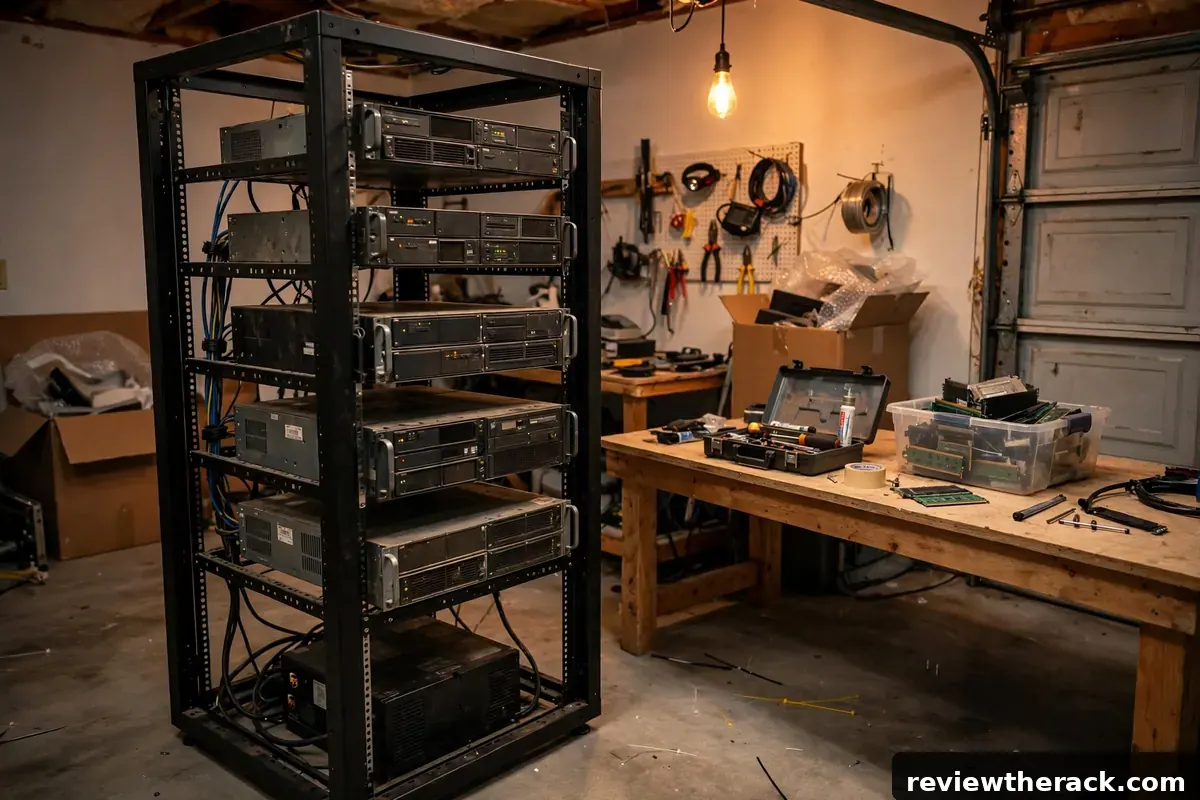
A capable homelab rack does not require a big budget — it requires targeted spending. The used market is full of enterprise gear at fractions of original prices, open-frame racks are genuinely cheap, and much of what beginners pay for turns out to be unnecessary. This guide shows where the savings are, what never to skimp on, and illustrative cost ranges for starter builds. All price figures are illustrative planning bands, not quotes — check current prices; hardware prices change often.
Save on the rack itself
The cabinet is the easiest place to save. Open-frame racks cost a fraction of enclosed cabinets and are perfect for climate-controlled rooms — if noise and security are non-issues, the open frame is not a compromise, it is the smart buy (see the style comparison). Used cabinets are excellent value: steel does not wear out, so a straight, complete used cabinet at half price is a win — check rails, doors, and locks per the inspection checklist.
Right-size aggressively. A 12U rack you fill beats a 42U cabinet standing half-empty — smaller is cheaper to buy, power, cool, and place. And consider wall-mount for network-only builds: a small wall bracket for the patch panel and switch, with compute on a shelf, defers the floor cabinet until servers actually arrive.
Save on compute: the used market
Used enterprise servers offer staggering value per dollar — generations-old hardware that still virtualizes beautifully. The smart approach: buy for your workload, not the spec sheet. A homelab running a hypervisor, some containers, and a media server needs far less than the 256 GB RAM monster the listing boasts. Match the gear to real needs.
Price the total cost: purchase price plus power draw (old servers are thirsty — check the watts, multiply by your electricity rate and 24/7 operation) plus noise mitigation. A “cheap” server that adds $30/month to the power bill and needs acoustic treatment is not cheap. Sometimes a newer, efficient mini-PC cluster costs less over two years than free old iron. Do the two-year math before falling in love with a listing.
Test before trusting: used gear gets a burn-in — memory tests, disk SMART checks, thermal observation under load — before it holds anything you care about. The used market rewards patience and punishes impulse.

Save on networking and accessories
Networking is a buyer’s market used: managed switches with real features sell for little, and a basic managed switch teaches nearly everything. Cables: buy in reasonable bulk, make your own patch cords if the volume justifies the tools, and never pay premium prices for commodity copper. Cable management: D-rings and velcro are cheap; skip the exotic hardware until the rack earns it (see routing hardware).
Shelves over rails where it makes sense: universal shelves are cheaper than server-specific rail kits and work fine for gear you rarely slide out. Save the rail-kit money for the servers you actually service hot.
What never to skimp on
Power protection. A UPS is non-negotiable — unclean shutdowns corrupt datastores, and the cheapest used server deserves clean power. Size it per the UPS guide; even a small quality UPS beats none. Likewise, do not daisy-chain consumer power strips as rack distribution — a proper PDU (see PDU types) is a safety item, not a luxury.
Cooling basics. Blanking panels cost little and prevent real thermal problems — skipping them to save a few dollars is false economy. Ventilation for the room is similarly non-negotiable; heat kills gear regardless of budget.
Backups. The lab will break during experiments — that is its job. A backup target (even a USB drive on a rotation) for the lab’s own configuration and data is the cheapest insurance against relearning everything. Budget gear fails; budget planning should not.

Illustrative starter builds
The minimal lab: used 12U open frame, basic managed switch, repurposed desktop as hypervisor, small UPS, velcro and D-rings. Illustrative band: a few hundred dollars if compute is repurposed — the classic “start this weekend” build.
The serious starter: 12–18U open frame or used cabinet, managed switch plus patch panel, one used 2U server, properly sized UPS, metered PDU, blanking panels, labels. Illustrative band: roughly four figures, with the server and UPS as the big tickets — a lab that teaches real skills for years.
The patient build: same as serious, but assembled over 3–6 months from deals. The used market rewards watchers: set alerts, know your target prices, and pounce on the right listings. Total savings of 30–50% versus buying everything new at once is realistic — paid for in patience.
All bands are illustrative — check current prices in your market. The framework matters more than the numbers: spend on protection and cooling, save on steel and compute, and let measured needs drive every purchase.
Where to find used gear (and what to avoid)
The used market has layers. IT asset recyclers sell tested, warrantied (short, but real) gear at fair prices — the safe middle ground. Online marketplaces offer the best prices and the highest variance: great deals from decommissioning businesses, and optimistic listings from sellers who “think it powers on.” Local pickup lots (business closures, university surplus) are the treasure hunts — cash, same-day, no shipping damage, but no returns.
Red flags that should stop a purchase: no power-on test offered, missing drive caddies or rail kits (replacement costs erase the deal), swollen capacitors or corrosion visible in photos, and sellers who cannot answer basic questions about the unit’s history. Always budget the test: assume every used purchase needs an hour of burn-in (memory test, SMART checks, thermal observation) before it holds anything important. The patient buyer with a test bench gets enterprise reliability at hobby prices; the impulsive buyer gets someone else’s problem at a discount.
The upgrade order: what to buy second
The starter lab is built; what comes next? Let bottlenecks decide — the upgrade order is not a shopping list, it is a diagnostic sequence. Out of storage? Add storage (not compute). VMs competing for RAM? Add RAM (not a second server). Network saturated? Upgrade the switch (not the servers). Each purchase solves a measured problem, which keeps the budget aimed at actual constraints instead of imagined ones.
The typical second-wave priorities, in rough order: proper backups for the lab (the lab is now worth protecting), a managed switch if you started unmanaged (VLANs unlock the next year of learning), RAM and storage for the existing host (cheaper than a second host), then a second compute node only when one host is genuinely oversubscribed. And know when to stop: the lab serves learning, not collecting. When new gear would sit idle, the budget is better spent on a course, a book, or the power bill. The best homelab is not the biggest — it is the one that is fully used.
Free and nearly-free wins
The cheapest upgrades cost nothing. Blanking panels fashioned from cardboard and tape (temporary, but thermally real — and a placeholder until proper panels arrive), cable management from velcro wraps bought in bulk rolls, labels from the printer you already own, airflow discipline from simply thinking about air paths before placing gear. None of these appear on a shopping list; all of them measurably improve the rack.
Nearly free comes next: decommissioned gear from workplaces (ask IT about e-waste policies — businesses pay to dispose of exactly what you want), university surplus sales, and community giveaways in homelab forums. The etiquette: take what you will actually use, test promptly, and pass along what you outgrow — the community economy runs on circulation. And the free skill upgrades: learning VLANs on your existing switch, tuning fan curves, documenting the lab properly. The most valuable homelab improvements have never required a purchase — just attention.
Budget traps that cost more than they save
Frugality has failure modes, and they all share a pattern: saving money on the wrong thing. The classic traps: the too-cheap PDU (no-name power distribution with dubious certifications — electricity is not where you gamble), skipping the UPS “for now” (the outage comes before “later” does), ultra-cheap cables in bulk (copper-clad aluminum masquerading as copper — it works until it does not, usually at gigabit speeds), and the free server that costs $40/month in power (the two-year math from the compute section, ignored).
The defense is a total-cost habit: every purchase evaluated on purchase price plus two years of power plus the risk cost of failure. A $30 used switch that runs for five years is cheap; a $15 cable lot that causes intermittent faults for a year is expensive. And keep a lab ledger — even a rough one. Knowing what the lab actually costs (power meter on the rack feed, receipts in a folder) turns budgeting from anxiety into arithmetic, and arithmetic is where good decisions live.
Frequently asked questions
Is used enterprise gear reliable?
Often very — it was built for 24/7 duty. Burn-in test everything, replace fans and thermal paste where needed, and budget for eventual disk replacement. The risk is manageable with testing.
What is the best single budget upgrade?
A UPS if you lack one; blanking panels and velcro if you have power covered. Both are cheap and both prevent expensive problems.
Should I buy everything at once?
No — buy the minimum viable lab, run it for a month, then buy against the constraints you actually feel. Staged buying is the core budget skill.
Where should I not cut corners?
Power protection, cooling basics, and backups — the unglamorous trio. Everything else can be budget, used, or deferred. Our cabinet inspection checklist keeps used-cabinet buys safe.
Related guides: inspecting used cabinets and choosing PDU intelligence wisely.


