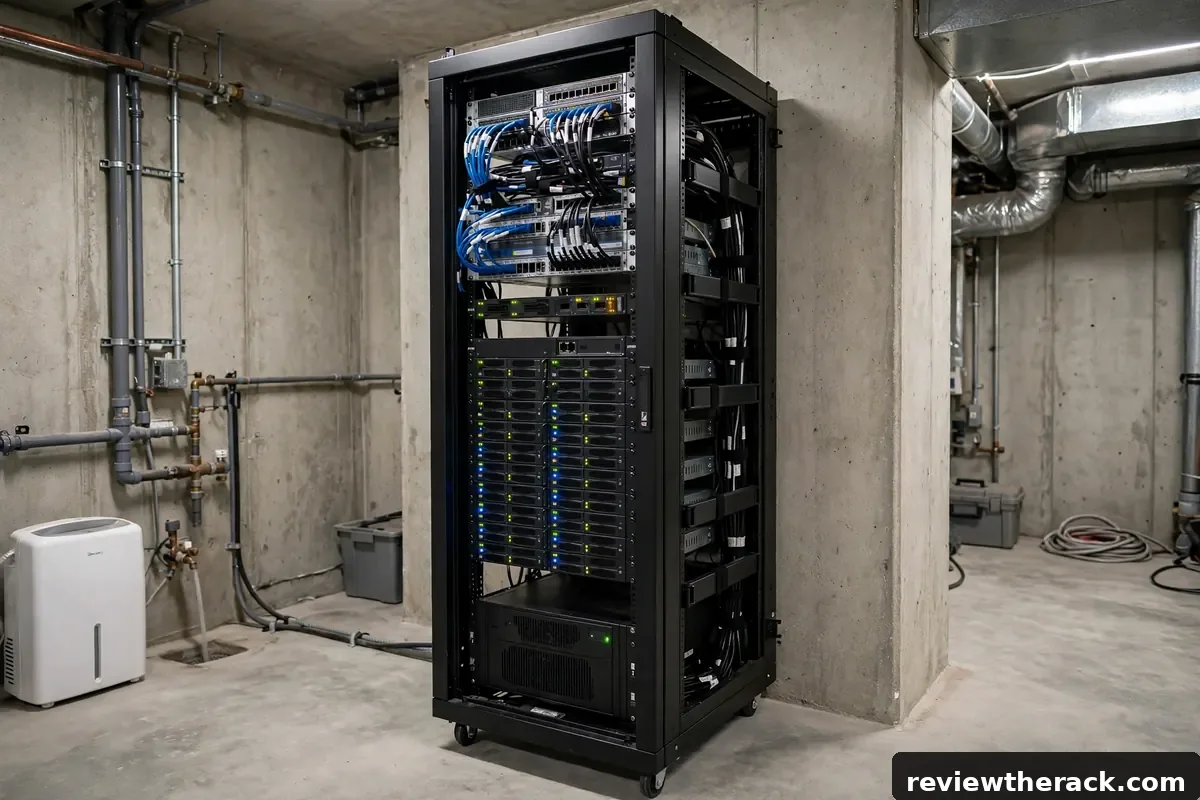
A server rack’s weight rating is the number most buyers skip — until the day a wall-mount cabinet starts pulling away from the drywall, or a floor rack’s casters refuse to roll. The short answer: a typical 42U floor-standing cabinet is rated for about 3,000 lb (1,360 kg) of equipment, while a 12U wall-mount rack is rated for roughly 200 lb (90 kg). But that headline number hides the details that actually decide whether your rack is safe: static vs. rolling capacity, the strength of your wall, and how much your gear really weighs once it’s all bolted in.
Key Takeaways
- A 42U floor cabinet typically holds 3,000 lb stationary; a 12U wall-mount rack holds about 200 lb. The gap is enormous — match the rack type to the load, not the other way around.
- Always check two ratings: static (standing still) and rolling (on casters). Rolling capacity is usually 25% lower.
- Your wall is usually the weak link for wall-mount racks, not the rack itself. StarTech’s own manual says the wall structure should support at least four times the loaded weight.
- Add up your real gear weights before buying, then keep the total under 80% of the rack’s rating.
Static vs. Rolling: The Two Numbers That Actually Matter
Every serious rack ships with two weight ratings, and confusing them is the most common mistake in rack buying.
Static (stationary) capacity is how much the rack can hold standing still on its leveling feet. This is the big number on the spec sheet — 3,000 lb on a 42U cabinet, 200 lb on a 12U wall-mount.
Rolling (dynamic) capacity is how much it can hold while being moved on its casters. On a typical 42U cabinet, that number drops to 2,250 lb — a full 25% less. The casters, their bearings, and the frame joints all take more stress when the load is moving, turning, or bumping over a threshold.
The practical rule is simple: if you plan to roll a loaded rack across a room — even once, to reach the cables behind it — size for the rolling number, not the static one. And if your rack will never move, the static number is the one that counts. Note that most wall-mount racks have no rolling rating at all, because they never move; their limit is the wall.
Real Rated Capacities: What Popular Racks Are Actually Rated For
Manufacturer ratings vary more than most people expect, even within the same size class. These are the published figures from the spec sheets of widely sold models:
| Rack | Type | Size | Static capacity | Rolling capacity |
|---|---|---|---|---|
| StarTech RK12WALLO (8U version) | Wall-mount, open frame | 8U | 135 lb (60 kg) | — |
| StarTech RK12WALLO / RK12WALLOA | Wall-mount, open frame | 12U | 200 lb (90 kg) | — |
| StarTech RK12WALHM | Wall-mount, enclosed cabinet | 12U | 198 lb (90 kg) | — |
| Eaton Tripp Lite SR42UB | Floor-standing enclosed cabinet | 42U | 3,000 lb (1,360 kg) | 2,250 lb (1,020 kg) |
| Eaton Tripp Lite SR42UBEXPND | Floor-standing open frame | 42U | 3,500 lb (1,588 kg) | 2,250 lb (1,020 kg) |
Three things jump out. First, a 12U wall-mount rack holds roughly one-fifteenth of what a 42U floor cabinet holds — wall mounting is a completely different load class. Second, the open-frame 42U Tripp Lite is actually rated higher than its enclosed sibling (3,500 lb vs. 3,000 lb), because the open frame puts the load straight into four heavy steel posts with no door and panel hardware in the way. Third, the rolling number is identical — 2,250 lb — on both 42U models, because both use the same caster set. On floor racks, the casters are the bottleneck, not the frame.
If a listing gives only one number with no label, treat it as the static rating and assume the rolling rating is lower. And if a no-name rack lists no rating at all, treat that as a red flag: a manufacturer that has not tested its frame will not stand behind it.
How Much Does Your Gear Actually Weigh? A Worked Example
Ratings mean nothing until you compare them with your own load. Most people dramatically underestimate how fast the pounds add up, because the heaviest single item in a rack is rarely the server — it is the UPS.
Here is a realistic 12U homelab build, with typical weights for each item:
| Item | Size | Typical weight |
|---|---|---|
| 2U short-depth server | 2U | 42 lb (19 kg) |
| 1U server | 1U | 28 lb (13 kg) |
| 2U rackmount UPS, 1500 VA | 2U | 60 lb (27 kg) |
| 1U 24-port managed switch | 1U | 11 lb (5 kg) |
| 1U patch panel | 1U | 4 lb (2 kg) |
| 1U vented shelf with two mini-PCs | 1U | 14 lb (6 kg) |
| 1U PDU plus cable slack | 1U | 8 lb (4 kg) |
| Total | 9U used | 167 lb (76 kg) |
That is 167 lb in a rack rated for 198–200 lb. On paper it fits, with 31 lb to spare. In practice it is too close for comfort — which brings us to the rule that keeps racks safe.
The UPS deserves a special mention: at 60 lb, it is more than a third of this entire build. UPS batteries are lead-acid, and lead-acid is heavy. If you are planning a wall-mount rack, the UPS is the item that decides whether the plan works at all. A 1500 VA rackmount UPS belongs at the bottom of the rack, bolted to the lowest rails, and in many wall-mount builds the honest answer is to put the UPS on the floor or a shelf underneath instead.
Weigh it, don’t guess it
Before you buy a rack, make a list like the one above for your own gear. The weights are on the manufacturer’s spec sheet for every server, switch, and UPS — usually under “physical” or “weight.” Add them up, add 10% for cables, cage nuts, shelves, and the PDU, and compare the total with the rack’s rating. Five minutes with a spreadsheet beats discovering the problem with a stud finder and a sagging cabinet.

The 80% Rule: Why You Should Never Load a Rack to Its Rating
A weight rating is a maximum, not a target. It is the load the manufacturer tested the frame to hold without failing — not the load it will hold comfortably for ten years while you add a switch, swap a UPS, and lean on it to plug in a cable.
The working rule: keep your total load under 80% of the rated capacity.
For our worked example, 80% of a 198 lb rating is about 158 lb — and our 167 lb build is already over it. That build needs either a lighter UPS, a floor-standing rack, or one fewer heavy item. The 80% margin covers three real-world factors:
- Ratings assume even distribution. A rack rated for 200 lb assumes the load is spread across the rails. A single 60 lb UPS hanging off the front rails at the top stresses the frame very differently from the same weight spread evenly.
- Gear gets heavier over time. You will add a second switch, a bigger UPS, a shelf of drives. The rack you buy today has to hold the rack you own in two years.
- Ratings assume perfect installation. Level floor, all bolts torqued, rails seated properly. Real installations are never perfect, and the margin absorbs the difference.
For floor-standing racks the same rule applies: 80% of 3,000 lb is 2,400 lb, which is still far more than any homelab will ever reach — one reason floor racks are so forgiving. The 80% rule bites hardest exactly where people ignore it: small wall-mount racks loaded with a UPS.
Wall-Mount Racks: Your Wall Is the Real Limit
A wall-mount rack’s 200 lb rating describes the rack. It says nothing about the wall — and the wall is usually the weaker of the two.
A 12U rack loaded with 167 lb of gear does not weigh 167 lb to the wall. It weighs 167 lb plus the rack itself (about 30 lb for a 12U cabinet), hanging 12–20 inches out from the wall, which turns the whole assembly into a lever pulling the top bolts outward. StarTech’s manual for its 12U wall-mount racks states it plainly: the wall structure should be capable of supporting at least four times the loaded weight. For a 200 lb load, that means a wall that can hold 800 lb.
What that means in practice:
- Mount into studs, never drywall alone. A lag bolt in a wood stud holds hundreds of pounds; a drywall anchor holds a fraction of that, and it holds it badly under a levered load. Use a stud finder, mark at least two studs, and hit both.
- Concrete or block walls are ideal. With proper masonry anchors, a concrete wall will outlast the rack. This is the best-case wall-mount scenario.
- Drywall over metal studs needs care. Metal studs flex and their thin walls grip screws poorly. Use toggle bolts rated for the load, spread across as many studs as possible, or add a plywood backer board screwed into several studs and mount the rack to the board.
- If the wall cannot take it, don’t wall-mount. A small floor-standing rack or a rack on a sturdy shelf is a better answer than a wall-mount cabinet hanging off inadequate fixings. A rack that falls takes the gear, the wall, and anything underneath it with it.
One more check: measure the depth. A wall-mount rack with 167 lb of gear hanging 20 inches off the wall levers far harder than the same load in a shallow 12-inch-deep rack. Shallower is stronger, and it keeps the center of gravity closer to the wall.
Floor-Standing Racks: Casters, Leveling Feet, and Floor Loading
Floor racks have the opposite problem: capacity is rarely the constraint, but the floor and the casters can be.
Casters are the weak point. On a 42U cabinet rated for 3,000 lb static, the rolling rating of 2,250 lb is set by the casters. Never roll a fully loaded rack over a cable, a threshold, or a floor transition — that is when casters crack and frames twist. If you need to move a loaded rack, remove the UPS first; it is the heaviest single item and the one most likely to shift.
Use the leveling feet. Casters are for moving; leveling feet are for standing. Once the rack is in position, wind the leveling feet down until they carry the weight and the casters are just touching or just clear of the floor. A rack standing on its casters for months will flat-spot them, and a rack that is not level puts uneven load on the frame.
Check the floor. 3,000 lb spread over four small feet is a lot of pressure on a small area — roughly the weight of a small car standing on four dinner plates. On a concrete slab or a ground floor, that is fine. On a raised wooden floor, an upper story, or a room with a suspended floor, check the floor’s load rating before you fill a 42U cabinet. For a homelab that will never approach those numbers, this is rarely an issue, but a fully loaded 42U cabinet in a second-floor spare room deserves a moment’s thought.
How to Check Your Load Before You Buy
Run through this list before ordering a rack, and you will never be surprised by a rating:
- List every item going in the rack, with its U size and its weight from the manufacturer’s spec sheet.
- Add 10% for cables, shelves, PDUs, and mounting hardware.
- Compare the total with the rating — and apply the 80% rule. If you are over 80%, upsize the rack or lighten the load.
- For wall-mount racks, check the wall. Studs or concrete, fixings rated for four times the loaded weight, and a rack depth that keeps the load close to the wall.
- For floor racks, check the rolling rating if the rack will ever move, and confirm the floor can take the point load.
- Put the UPS at the bottom. Always. It lowers the center of gravity, loads the strongest part of the frame, and keeps the heaviest item closest to the floor or wall.
Frequently Asked Questions
How much weight can a 12U wall-mount rack hold?
About 200 lb (90 kg) for the common steel models, such as StarTech’s 12U wall-mount racks. Smaller 8U versions of the same design are rated around 135 lb (60 kg). Remember the wall itself must support far more than the rating — StarTech’s manual calls for a wall structure rated at four times the loaded weight.
How much weight can a 42U server rack hold?
A typical 42U floor-standing cabinet is rated for 3,000 lb (1,360 kg) stationary and 2,250 lb (1,020 kg) rolling. Some open-frame 42U models are rated higher — Eaton Tripp Lite’s open-frame SR42UBEXPND is rated 3,500 lb stationary. In practice, a homelab will never come close; the rating matters more for dense data-center loads.
Does the weight rating include the rack itself?
No. The rating is for the equipment installed in the rack, not the rack’s own weight. A 12U cabinet that weighs 30 lb and is rated for 198 lb can hold 198 lb of gear — but the wall or floor feels all 228 lb. Keep that in mind when sizing fixings and floor loading.
Is static or rolling capacity more important?
It depends on whether the rack moves. If the rack will sit in one place on its leveling feet, the static rating is the one that matters. If you will ever roll a loaded rack to reach the back, the rolling rating — usually 25% lower — is the limit. Never roll a rack over cables or thresholds while fully loaded.
What happens if you overload a server rack?
At first, nothing visible: rails bow slightly, doors stop closing cleanly, and casters develop flat spots. Over time, the frame can twist out of square, mounting holes elongate, and wall fixings slowly pull out. The real danger is sudden failure — a wall-mount cabinet tearing out of drywall, or a caster snapping while the rack is moving. Both are preventable by staying under 80% of the rating.
Bottom Line
A rack’s weight rating is not a trivia number on the spec sheet — it is the difference between a rack that lasts a decade and one that ends up on the floor. A 42U floor cabinet’s 3,000 lb rating will cover anything a homelab can throw at it, but a 12U wall-mount rack’s 200 lb rating is a real constraint, and the wall behind it matters more than the rack itself. Add up your gear, keep the total under 80% of the rating, put the UPS at the bottom, and mount into studs or concrete. Do that, and the weight question answers itself before you ever pick up a drill.


